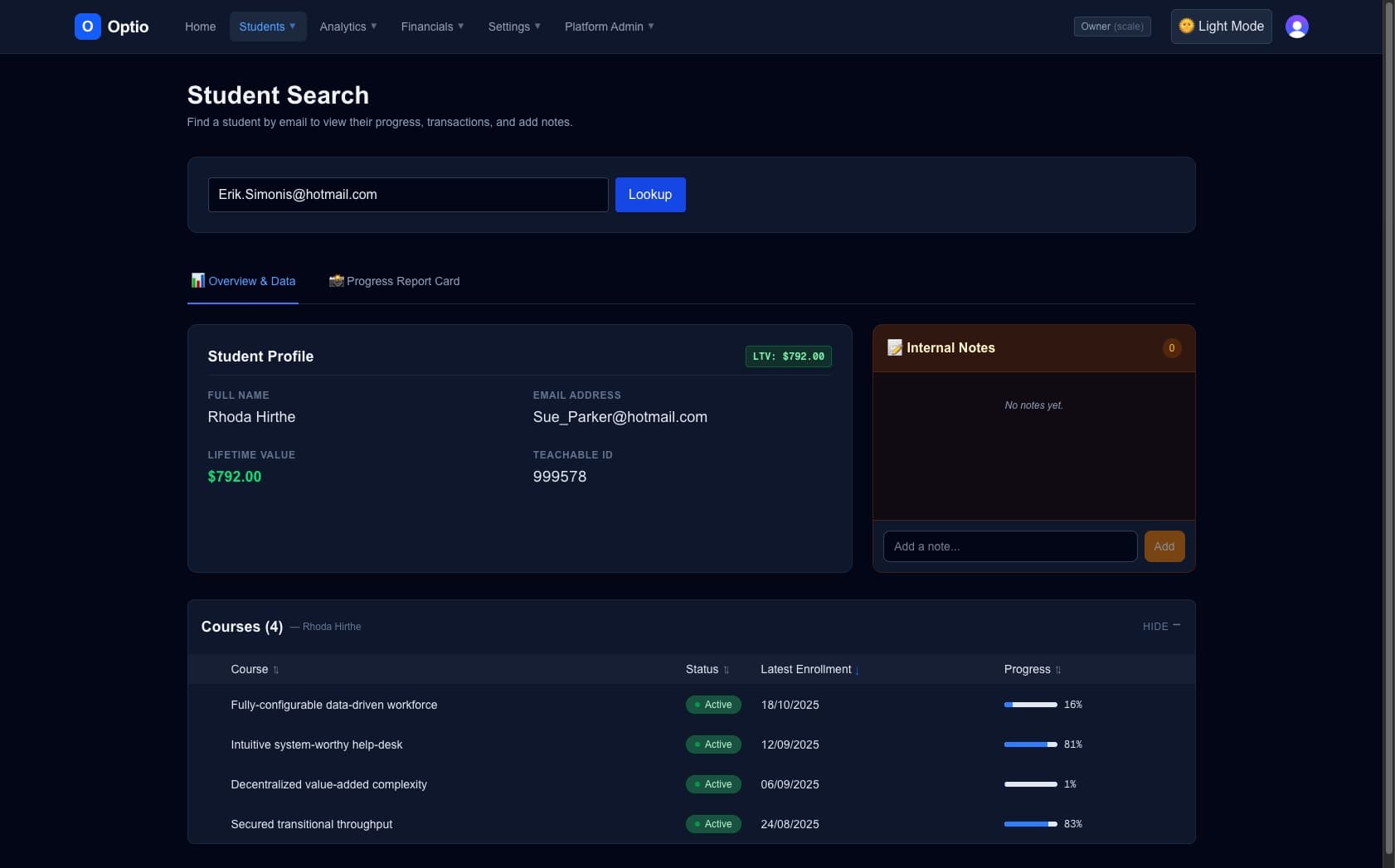
 architecture
Building Optio: The Missing Command Center for Teachable
How we built a secure, headless dashboard using the Teachable API to give high-volume creators real-time LTV tracking, retention risk alerts, and granular VA access.
When a Teachable school scales past a certain volume, the default dashboard stops being enough. School owners find themselves trapped in "Spreadsheet Purgatory"—manually exporting CSVs every Monday morning, guessing which students are at risk of churning, and dangerously sharing their main Admin password with VAs just to handle support tickets.
Teachable shows you totals. But to run a high-volume education business, you need to see the truth: individual Student Lifetime Value (LTV), 14-day retention risks, and granular team access controls.
To bridge this massive gap in the native platform, I built Optio—a headless command center designed specifically for Teachable power users.
Here is a look under the hood at how the Optio architecture solves the three biggest bottlenecks for scaling creators.
1. The Granular Access Problem (The VA Walled-Garden)
Optio acts as a secure middleware layer. Your VAs log into Optio, not Teachable. Optio's backend securely authenticates via the Teachable API, allowing your staff to utilize our Instant Student Search (which bypasses Teachable's slow 10-page pagination) and handle support tickets without ever seeing your revenue data or course settings.
We also built in Product Mapping, allowing you to translate obscure Teachable Product IDs into friendly, human-readable course names so your team knows exactly what a student purchased at a glance.
2. The Retention Risk Dashboard
One of Optio’s most powerful features is identifying students who are stalling before they churn. Teachable's native analytics don't proactively flag disengaged users.
Optio constantly syncs with your school to monitor course progress. We run a custom algorithm against the last_sign_in_at and percent_complete data objects to build a real-time Retention Risk Dashboard.
By surfacing this data instantly, school owners can trigger automated re-engagement campaigns for students who haven't logged in for 14+ days, helping save continuity revenue without requiring a VA to manually check every single profile.
// A simplified architectural concept of Optio's Retention Engine
function calculateRetentionRisk(student) {
  const currentDate = new Date();
  const lastLogin = new Date(student.last_sign_in_at);
  const daysSinceLogin = Math.floor((currentDate - lastLogin) / (1000 * 60 * 60 * 24));

  if (daysSinceLogin >= 14 && student.percent_complete < 100) {
    return {
      status: 'HIGH_RISK',
      flag: 'Stalled: 14+ Days',
      actionable_data: student.email
    };
  }

  return { status: 'HEALTHY' };
}
By surfacing this data instantly, school owners can trigger automated re-engagement campaigns to save the continuity revenue.
3. Real-Time Financial Pulse & LTV
Standard dashboards show gross volume. Optio calculates the individual Student Lifetime Value. By aggregating a student's purchase history across multiple courses (and even across Multi-School setups, which Optio supports natively), we allow creators to spot their VIP customers instantly.
Combined with our Automated Tagging engine, you can automatically tag students based on specific purchase behaviors, lesson completions, or quiz results, completely eliminating the need for complex Zapier routing.
Enterprise Security by Default
Because Optio handles sensitive student data, the architecture relies on bank-grade encryption. We never store credit card information, and for users testing the app on our live preview, the API connection is processed strictly client-side—we never even store the API key.
If you are a high-volume creator tired of fighting the default dashboard, you can stop running your business on guesswork.
Start your 14-day free trial of Optio today and regain control of your school.
Purple Hippo Web Studio
Need this built, not just documented?
We build custom Teachable integrations, webhook infrastructure, and B2B enrollment portals. Fixed scope, fixed price, no surprises.
Get in touch