 b2b-enrollment
Selling Corporate Training on Teachable: What's Possible Today, and When to Go Custom
Teachable's new Organizations feature explained for school owners selling corporate training: what it does, what it doesn't do yet, and when to go custom.
Imagine the scenario: A new company has approached you and wants to train 40 employees on a course you have created.
In the past, you would follow these steps
- Create an invoice for the client for their 40 employees
- Create a coupon code
ACME_COMPANYand send it to the client to provide to their employees. - Restrict the coupon code to only be used 45 (maybe 50) times with an expiration date of 1 to 2 months.
- Set the coupon code to 100% discount so the employee doesn't get charged.
- Alternatively, you could use the CSV export and provide 40 unique coupon code each row provided as a direct link to the checkout with the coupon code embedded.
- Wait for the client to give the coupon codes to their employees and wait for the employee to sign up and enroll in the course.
What happens if the coupon code is shared or someone uses a non-employee email address to sign up? What about reports on completion data? How can you ensure that only employees are signing up and completing the course? What are the potential challenges and limitations of this approach?
Does Teachable have a better way to handle this? Honestly: It's getting there. Teachable has released an Organizations feature in beta that solves some of this cleanly. This article walks you through exactly what it does, what is doesn't do yet, and what you'd need to build on top of it for a proper B2B setup.
Section 1: What the Organizations feature actually is
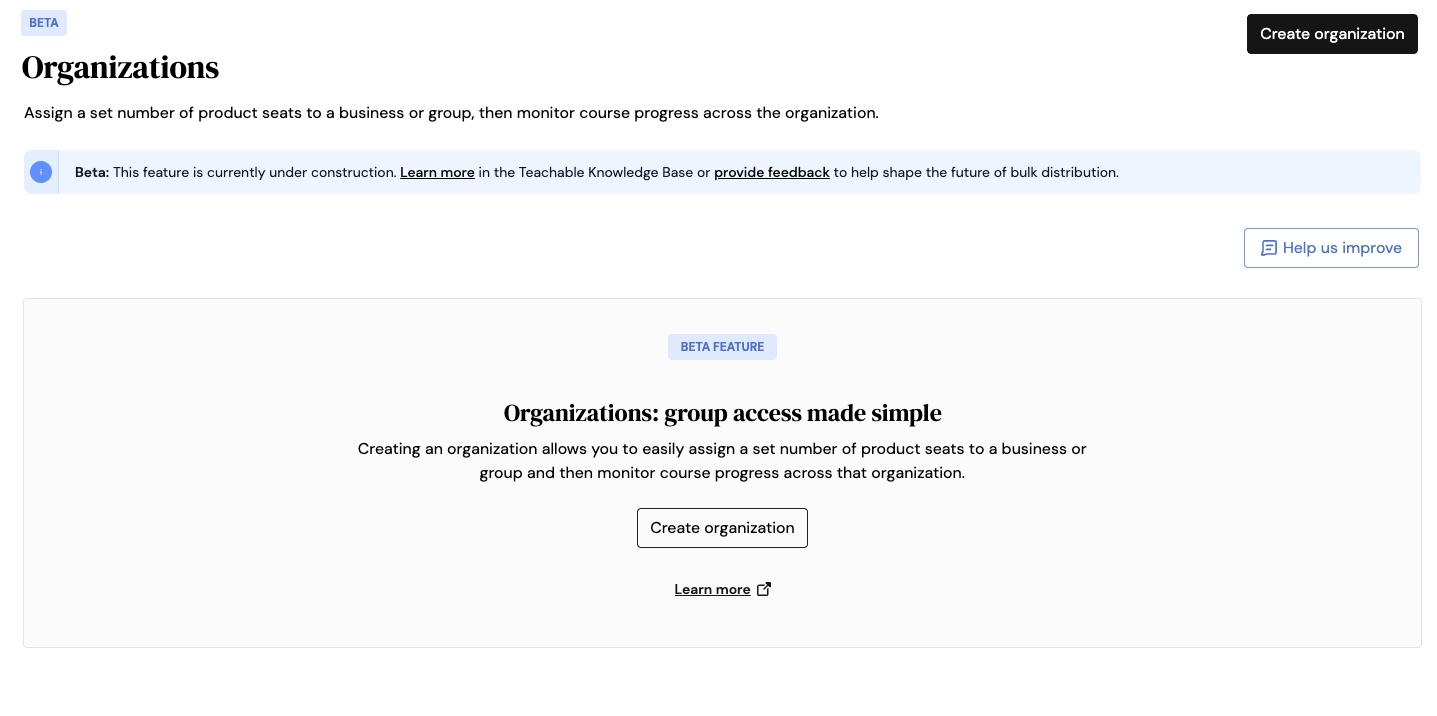
Organizations are Teachable's way of grouping students from a single company under one managed space, with seat limits, access controls, and reporting scoped to that client.
- A corporate client = an organization
- Their training content = products with seat limits assigned to that organization
- Their employees = students with access to the organization
- Their HR Manager or L&D Lead = the Organization's Admin (their own limited access login via Teachable)
This beta feature is built for schools that are selling training packages to companies rather than individual learners. It's for the company who just paid an invoice for 40 employees to access their training content. It's not set up for individual buyers; for that they would just buy the individual course or bundle through the normal purchase process on your school.
Section 2: Setting it up: a walkthrough
Setting up a new corporate client for your Teachable school is a straightforward process. Here's a step-by-step guide to get you started:
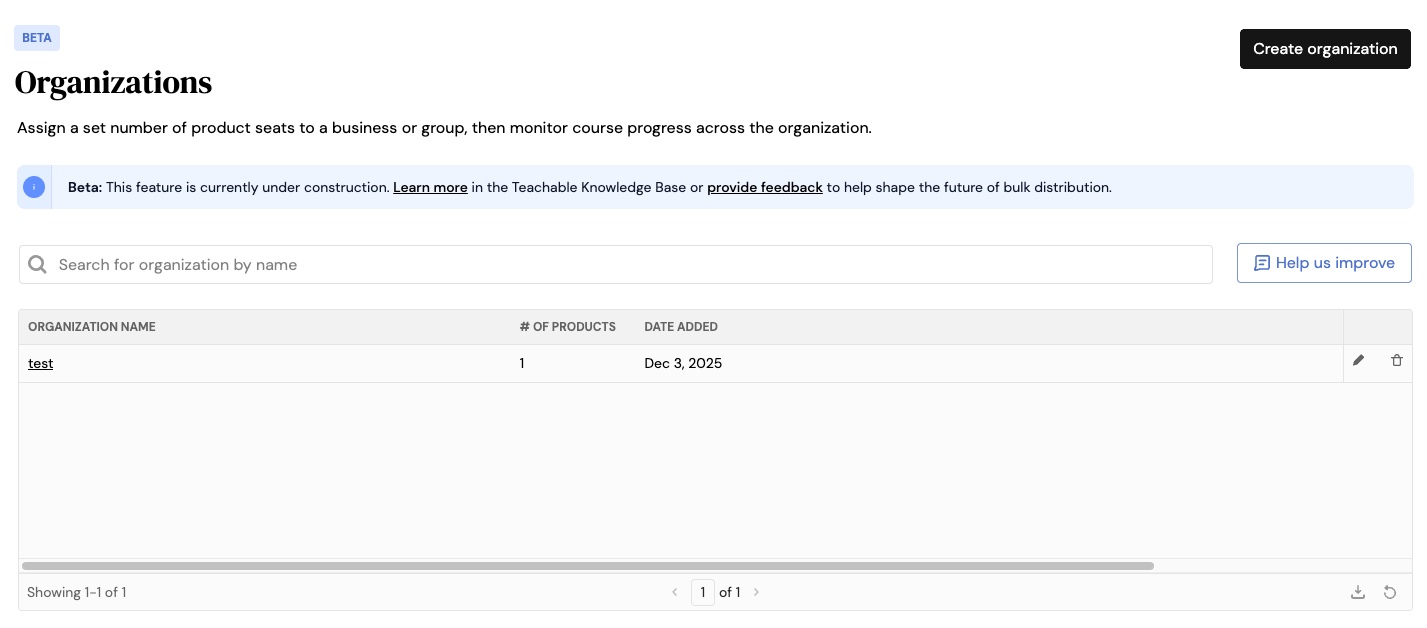
- Navigate to the Organizations section in your Teachable dashboard (Admin > Users > Organizations).
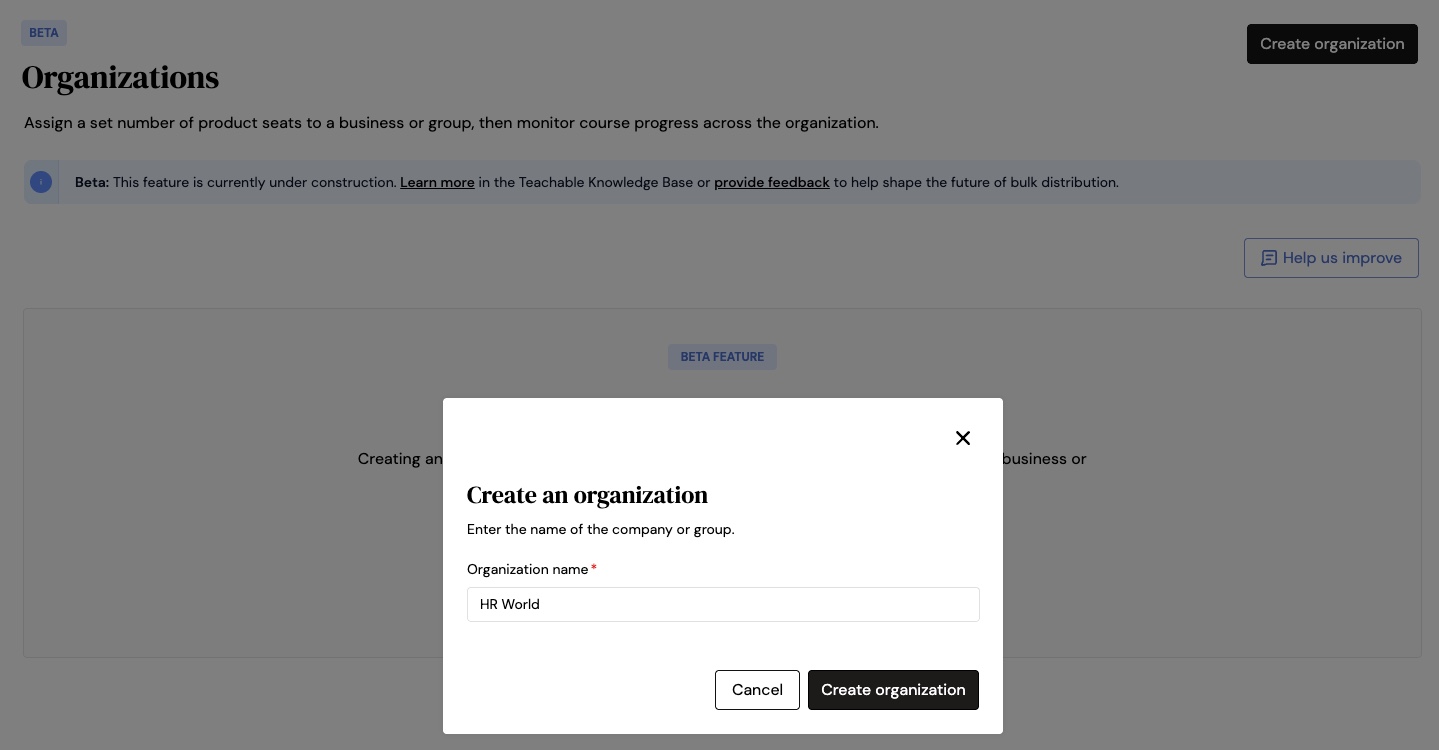
- Click on the "Create Organization" button.
- Give your organization an appropriate name. This is usually the company name or a Project-Date combination.
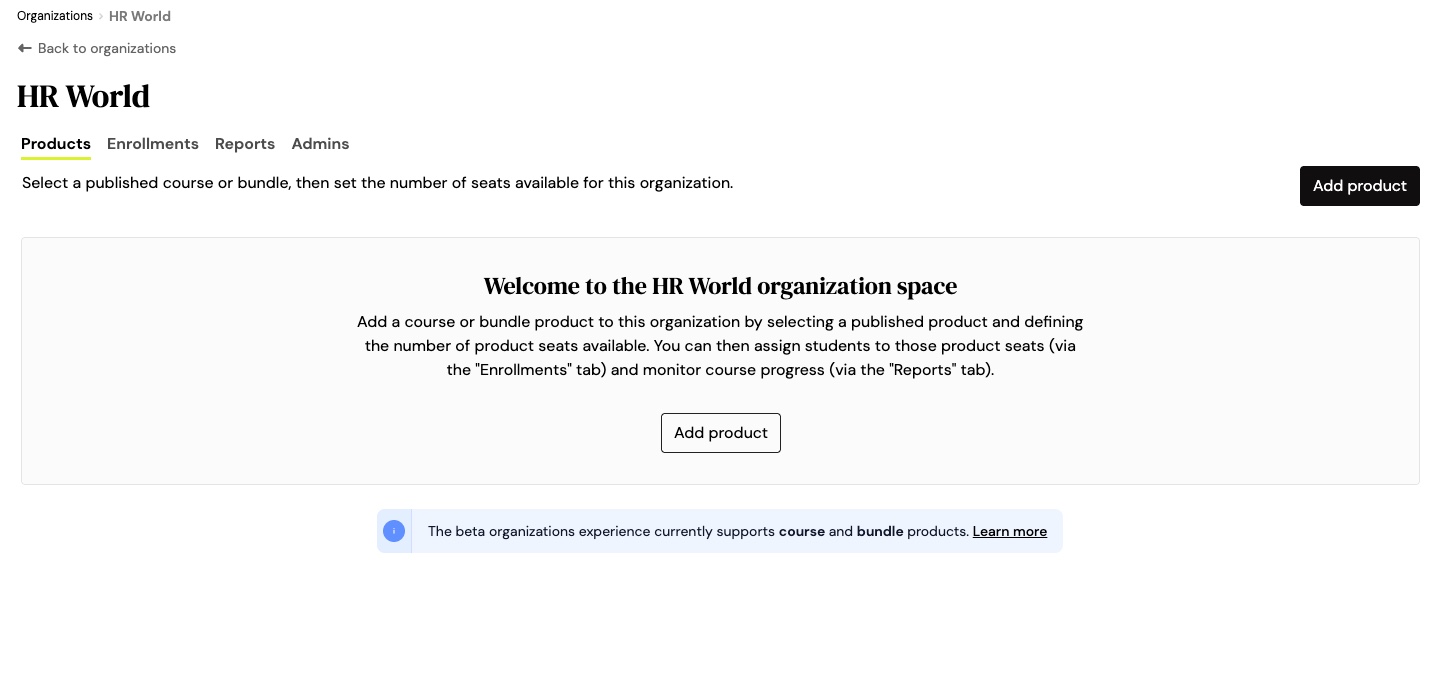
- Click on the newly created organization to access the 'space'.The organization experience is currently in beta and only supports course and bundle products. Please check the Teachable documentation for the most up-to-date information.
- Assign the appropriate products with seat limits to the organization. Start by clicking on the 'Add Product' button.Note: Only Published products are visible from the dropdown. If you need to offer a restricted product, publish the course, set the course to unlisted, and remove any pricing options.
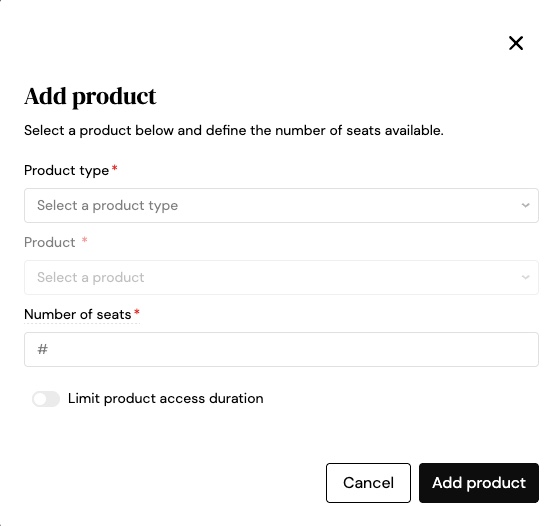
- From the dropdown, choose either course or bundle, select the product, and assign the number of seats you wish to allow for the organization.
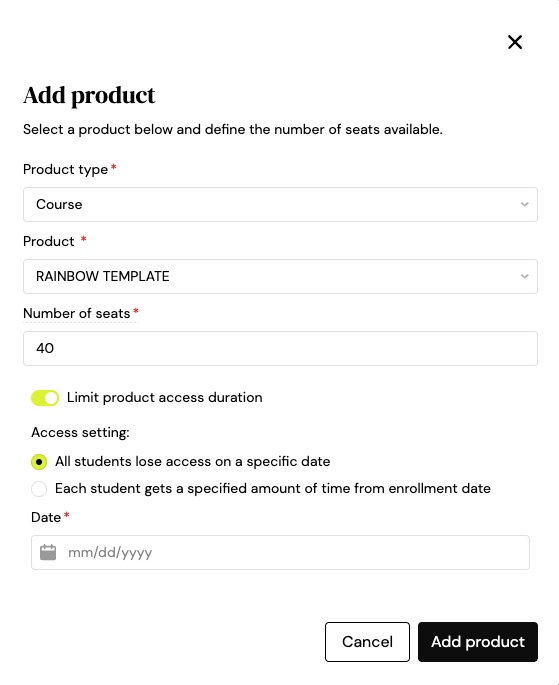
 You can also indicate if the product is limited by date, either all students lose access after the date or each student gets access for a specific amount of time from their enrollment date.
- Once you've assigned the products, you can proceed to invite the HR Manager or L&D Lead to manage the organization by providing them with their own limited access login via Teachable.Organization admins count towards your total number of admin-level users in your school. Teachable charges an additional $20/month (or $240/year for annual plans) if you need admins above what your existing plan offers.
Organization admins cannot create or delete other organizations, add or remove products from the organization, or remove students from product seats. This essentially means the Organization admin is a read only/enroll/report-only role, not a management role.
Section 3: What you get out of the box for reporting
The report tab shows leaderboard, lessons completed, quiz scores, and open ended questions for each course. For Bundles, the report is based on the course within the bundle and not an overall summary of the bundle as a whole.
Report data syncs within 24 hours of student enrollments and lesson activity. This is not real-time. For most use cases this is fine, but for clients who want a live dashboard, it may not be enough.
There is an option to export the report data as a CSV file for further analysis and integration with other systems.
Section 4: What the native feature doesn't do yet
It's expected that some of these following features will be added to the native Organizations features in the future, but for now here is a list of what it doesn't do yet.
- Sales invoiced happen separately. The feature is about content distribution, not selling group orders directly. You still need to handle contracts, invoicing, and payments outside Teachable (generally speaking).
- No white-label experience. Your corporate client logs into your Teachable school, with your branding and your domain. There's no way to give them a portal that looks like their own company platform natively.
- No API access to the Organizations endpoint yet. Teachable is working on their v2 API endpoints, nothing concrete as to whether organizations will be included in available API data. The workaround for now is Teachable's existing student tagging feature. You can manually tag students with a company identifier and use that to filter data via the existing API. It's not elegant, but it works until the Organizations endpoints are available.
- Reporting isn't real-time and can't be pushed to an external system or client-facing dashboard natively.
- Currently only courses and bundles are supported. Memberships, downloads, and coaching products aren't available for organization seat assignment. This is unlikely to cause a problem since most HR or corporate training will be focused on course completion or a bundle of courses.
- Early access users are limited to 3 organizations during the trial period. Scaling to 20 or 50 corporate clients isn't possible without contacting Teachable's sales team.
Anything outside what Teachable provides during this beta phase would require custom development or integration with third-party tools and a significant infrastructure investment.
Section 5: What a full B2B setup looks like beyond the native feature
The native Organizations feature is a genuine step forward for schools that are just getting started with corporate clients. But if you're selling training to multiple companies at any kind of volume, you'll probably want more than it offers today, and the workarounds start to look a lot like the coupon code approach you were trying to leave behind.
A proper B2B training infrastructure built on top of Teachable typically involves some combination of the following:
A branded client portal. Instead of your corporate clients logging into your Teachable school, they access a custom portal on your domain, or theirs. This can be as simple as a password-protected page that surfaces their enrollment links and progress data, or as sophisticated as a fully white-labelled experience with their own logo and subdomain.
Automated enrollment triggered by your billing system. Rather than manually enrolling students after an invoice is paid, a webhook-driven integration can watch for a confirmed payment in your invoicing tool (Stripe, QuickBooks, whatever you use) and automatically provision seats and enroll students the moment the contract is signed. No manual steps, no delay.
A login experience that doesn't require individual Teachable accounts. Teachable offers Google SSO for students, and custom SSO is available on enterprise plans, though it isn't something you can switch on yourself. For most schools, corporate employees still need to create individual Teachable accounts to access content. A custom enrollment portal — like the kind we're building into Optio — can abstract that friction away, handling the account creation and enrollment in the background so the employee's experience feels seamless even if Teachable is doing the work underneath.
CRM sync and real-time reporting. If your sales team is managing B2B relationships in HubSpot or Salesforce, keeping enrollment and completion data in sync with contact records means your account managers always know where a client's team is up to, without logging into Teachable to check.
Worth knowing before you write this off as "too complex"
None of this is out of reach, but it does require building on top of Teachable's API and webhook infrastructure rather than relying on the admin UI alone. The good news is that Teachable's existing API, separate from the Organizations beta, already supports the enrollment and progress data you'd need to build most of this. The Organizations API endpoints are still forthcoming, but a surprising amount is achievable today with what's already documented (and some of what isn't).If you're at the point where you're regularly winning corporate training contracts and the native feature is starting to slow you down, it's worth a conversation about what a custom setup would actually involve for your school specifically. That's the kind of project I take on at Purple Hippo. Get in touch and I'll give you an honest assessment of what makes sense and what doesn't.
Closing Summary
Not sure which camp you're in? Here's a rough guide:
| Your situation | What you need |
|---|---|
| Testing B2B with 1–3 clients | Native Organizations feature: start here |
| Selling to 5+ corporate clients regularly | You'll want some automation on top |
| Corporate clients need branded portal or SSO | Custom infrastructure |
| Corporate clients need to be able to access the Organizations API | Custom infrastructure |
| Clients need real-time reporting or CRM sync | Custom infrastructure |
Sources:

Purple Hippo Web Studio
Need this built, not just documented?
I build custom Teachable integrations, webhook systems and B2B enrollment portals. Fixed scope, fixed price, no surprises.
Get in touch